






Product Introduction
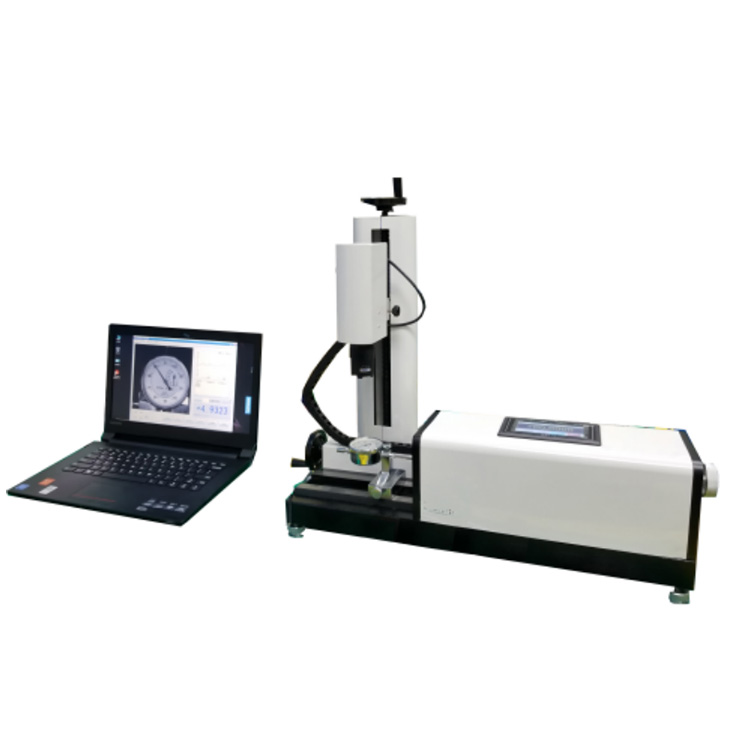
After the inspector sets up the test chart, they select the chart information in the computer software menu. The instrument then automatically starts calibration according to national metrological inspection regulations. The servo motor drives the grating and the test chart, causing displacement. The image capture system takes photos of the test chart dial and identifies the readings at each calibration point. The dial readings are compared to the standard displacement of the grating, calculating the error values of the test chart's various indications, and printing records and certificates in various formats.
Calibration Instrument Configuration
A. Host computer
Grating sensors and master control box
Adjustable CCD Camera Device
Calibration fixtures for various gauges
1. A set of dial indicator and micrometer caliper fixtures with a diameter of 8mm.
1. Set of lever gauges and inside diameter gauge fixtures with diameters of 4, 6, and 8mm.
B. Computer Software System:
Automatically calibrate indicating gauges, lever gauges, inside diameter gauges, and a wide range of percentage gauges according to the latest national calibration regulations.
2. Fully automatic calibration of digital displays for the above-mentioned types of meters.
3. Fully automatic calibration of imperial units for all types of mentioned gauges.
4. Automatic calibration of mechanical comparators and torsion spring comparators.
5. Equipped with semi-automatic calibration function for checking indicators with visibly soiled dials or scale lines.
6. Features an out-of-tolerance alert during calibration.
7. Automatically process and judge calibration data, with automatic zeroing function.
8. Displayable and printable history records, including tables and curves of inspection point error data, various indicated errors required by the procedures, and the verification results determined according to the procedures.
9. Records can be searched and managed according to specifications such as type of indicator, production unit, serial number, inspector, testing unit, equipment number, testing date, and validity date.
10. Multiple records can be selected from the database to batch print calibration records or calibration certificates.
11. Data can be output to a Word document.
12. Features backup and restore database capabilities.
C. Additional Attachments
Aluminum alloy enclosure
2. Instrument配套Cable