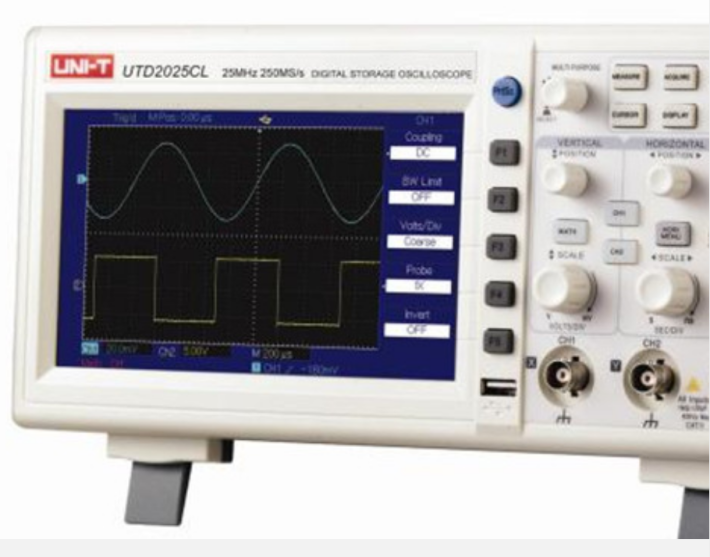











【U.S. Agilent DSOX2022A Digital Oscilloscope No Display Repair】
I. Fault Phenomena and Background Introduction
The Agilent DSOX series digital oscilloscopes play a crucial role in electronic research and development, education, and industrial testing. The DSOX2022A is widely used due to its high resolution and extensive features. Occasionally, users may encounter a situation where the instrument powers on but there is no display, with the power indicator light functioning normally but the screen showing no graphics or text. This not only affects normal operations but also poses some difficulty for maintenance.
Faults without display issues can originate from various sources, including hardware, software, and even the power supply system. In such cases, relying solely on board replacement or hardware changes is costly and uneconomical; thus, a comprehensive analysis and targeted troubleshooting are necessary.
II. Analysis of Common Causes for No-Display Faults
【Power Module Issue】Multiple non-display faults with DSOX2022A are due to issues with the power section, particularly anomalies in the main power and local voltage regulation module. Internal power lines experience under-voltage or unstable voltage, leading to the core processing board's inability to operate normally.
【Screen Connection and LCD Drive Component Damage】The oscilloscope's LCD display and its ribbon cables are susceptible to wear, which may lead to loose interfaces or failed LCD drive ICs after prolonged use, resulting in no display or image.
【Main Control Board Failure】The main control board is responsible for signal processing and display logic. Chip damage, solder joint cracks, or firmware corruption may result in no display. Inspection includes FPGA, CPU, and FLASH storage modules.
**Firmware or Software Anomalies** - Damaged system firmware or a failed upgrade can also result in no display upon startup, or even a system crash. Restoring firmware is often a crucial step in resolving such issues.
III. Repair Process and Inspection Points
Address display issues require systematic diagnosis to avoid盲目 component replacement and waste of resources. We recommend the following inspection process:
Initial power output voltage testing, verify the normalcy of key voltage rails such as 5V, 3.3V, and 12V.
Inspect the module connection lines and interfaces to ensure that the wiring is not loose or damaged.
Monitor the internal master signal status with an oscilloscope or multimeter to determine if the CPU has entered the startup process.
Attempt to reflash the instrument firmware via the JTAG interface or programming tools to eliminate software layer issues.
In case of hardware damage, replace the power module or screen driver board first, then test if the display is restored.
Diagnostics not only enhance repair efficiency but also reduce maintenance costs. Experienced technicians typically identify the root cause of a problem by analyzing voltage waveforms and signal logic, thus avoiding unnecessary component replacements.
Four: Overlooked Details in Maintenance
Power filter capacitor aging leads to unstable power supply or voltage fluctuations, causing no display upon startup.
The solder joints on the mainboard are weak, particularly around the capacitors and resistors near the chips, which form intermittent poor contact due to thermal expansion and contraction.
Internal contamination or oxidation in the ribbon cable interface often leads to poor contact, which can cause display anomalies.
Crystal oscillator damage due to static or misoperation directly affects the system clock, resulting in a no-display condition.
Incompatibility issues not caused by firmware upgrade packages require re-establishment through the channel.
These details are often overlooked by beginners, but they play a crucial role in actual maintenance practice.
Our service advantages include:
Comprehensive fault diagnosis process, utilizing advanced testing tools for precise issue localization.
Comprehensive parts inventory ensures short customer repair cycles and minimizes equipment downtime.
Experienced engineer team capable of quickly identifying hardware and firmware issues.
A stringent quality control system ensures stable and reliable repair quality before shipment.
Offer regular maintenance and calibration recommendations to extend the lifespan of customers' instruments.
Choose us, and you're not just selecting a repair service; you're choosing a technical partner to safeguard your equipment.