



- AllProduct Category
-
Motor Protector
High Voltage Microcomputer Integrated Protection Device
Multi-functional Power Instrument
Dehumidification Unit
Electrical Valve
Motor Protector
Robotics
Switchgear
Motor Monitoring and Protection Device
Motor Protection Device



详情描述
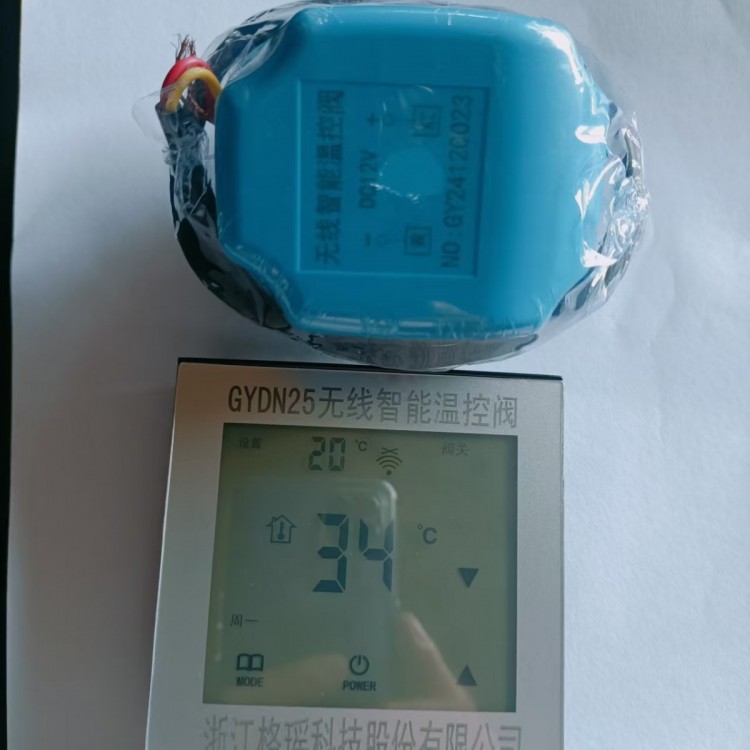
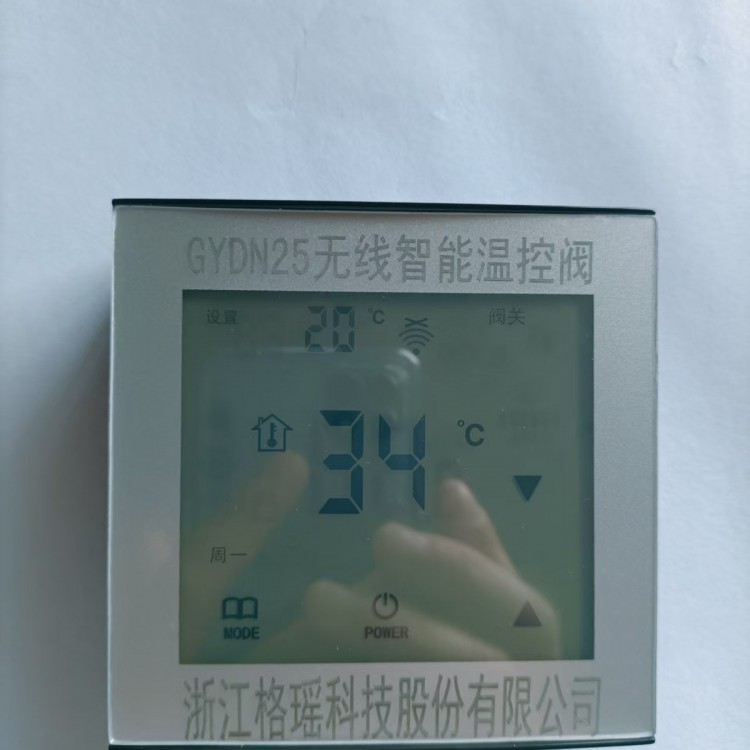
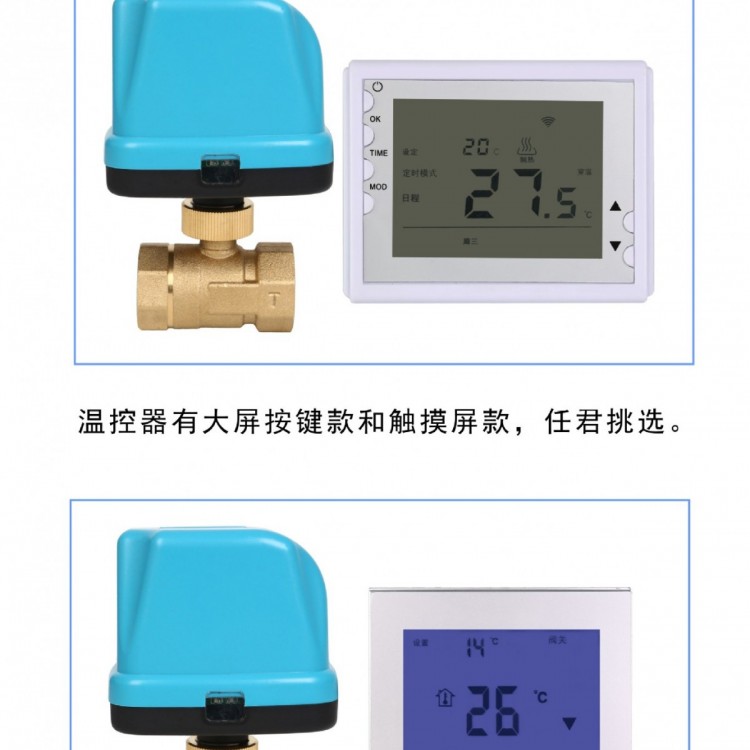
Welcome to chooseGYDN25Wireless Smart Temperature Control Valve Product, this product consists of three parts: controller, actuator, and valve body, which can be assembled and disassembled. To better master the installation and usage of this product, and for easier settings, please carefully read the following content and keep it for future reference.
One, control panel wall mount dimensions and5 AA batteries installed
Warning:Do not transfer5Batteries installed with reversed polarity may cause irreversible damage to the temperature control valve!
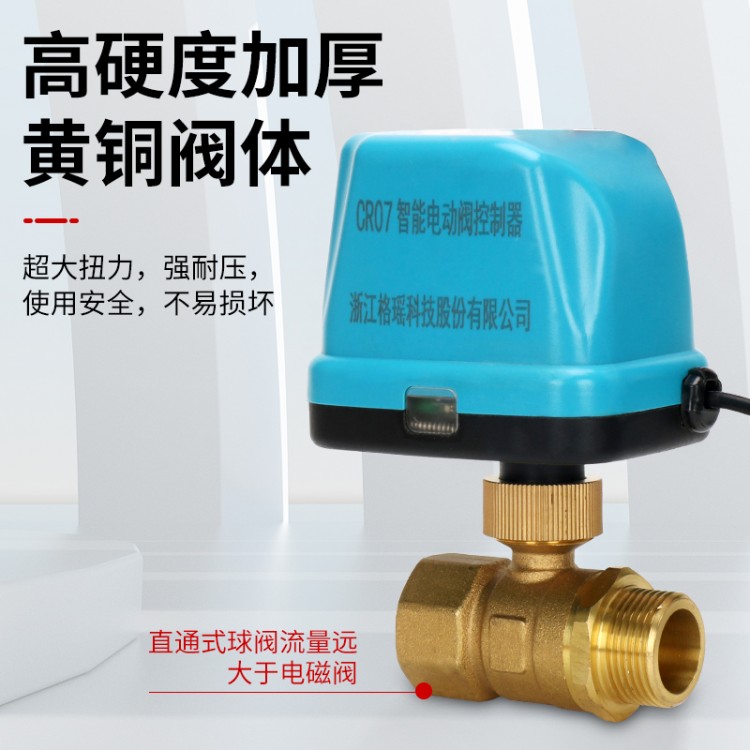
Section 2: Actuator and Valve Body Connection:Carry outThe bottom of the vessel features a groove, into which a copper pillar with a protrusion is inserted into a recess above the valve body, and it is tightened clockwise.Copper nuts. The actuator housing label indicates the symmetrical voltage values and polarity power requirements. Connect to the symmetrical voltage level according to the correct wire color, then turn on the indicator light, red for valve closed, blue for valve open.
Section 3: Controller Settings
Note:The current ambient temperature is displayed in the center of the screen.,When the set temperature is higher than the ambient temperature, the valve body opens.,Valve body closes below ambient temperature
After installing a 5-number dry battery, the full screen illuminates various function icons (this screen is a touch button screen, keep your fingers clean and dry).
2. Gentle tapOrIncrement or decrement the number to set the environment temperature, and display the set temperature and valve status.
3. Press the POWER button to toggle the device on/off.
4. Press the MODE button gently to enter time setting, press onceKey orSet current time to weekday, tap lightlyPress the MODE key to shift the setting, then press the POWER key to confirm.
5. SimultaneouslyAndPress for three seconds to enter the setting segment interface menu, then tapOrKey modification time, pressAdjust the shift setting time or temperature. After setting each segment, press the POWER button briefly to confirm and automatically move to the next setting. Hold down the MODE button to turn off the function and exit the menu.
Four,Controller and actuatorID Matching Settings
Press and hold simultaneouslyPOWER &Enter Pairing Settings Password(Factory Password6536)Hold downMODEPress the key after the data blinks on the keypad.Key tone number, short pressMODEKey shift, set a 4-digit password and then pressPOWERKey Confirm(Password error, unable to proceed to the next page)Auto-EntryIDAddress Page(As indicated on the actuator labelNO:Enter the last eight digits)Settings, TapOrKey Modification Number,Short pressMODEPress to shift key down, then scroll to the next page. Set up the eight-digit configuration on both pages.POWERKey, wait for the actuator to be powered on and successfully connect the communication status.No display.。
V.Wireless Communication
Controllers and actuators utilize wireless RF communication. After connection, they facilitate control and signal feedback, with a general communication distance of20 to 30 meters. In complex environments, if communication fails, the controller screen will display a communication failure indicator and automatically attempt to establish communication after a 5-minute delay, or the user can force communication by pressing the POWER button while the device is powered on.
Under normal operating conditions, occasional display of a communication failure indicator on the LCD screen is normal. If the communication failure indicator is displayed for a prolonged period, it may indicate an abnormal power supply to the actuator, communication distance exceeding the limit, or strong electromagnetic interference sources nearby. Users should report the issue to a professional technician for on-site testing.


