








FujiFilm photocopier installation driver part shows "driver installation failed due to unsigned signature verification" during Windows 10 installation.
Some Windows 10 installation drivers show that they have not passed signature authentication. When installing device drivers for Windows 10, if the installation fails or a prompt appears indicating that the driver has not passed mandatory signing, you need to disable "Driver Signature Enforcement" to proceed with the installation. 1. Click: Start -> Settings 2. In all settings, find and enter "Update & Security" 3. Find "Recovery", click "Restart" under "Restart Now", and restart your computer 4. After restarting, select "Troubleshoot" 5. Select "Options" 6. Select "Advanced Options" 7. Select "Startup Settings" 8. Follow the prompts and enter "7" to disable driver signature enforcement.

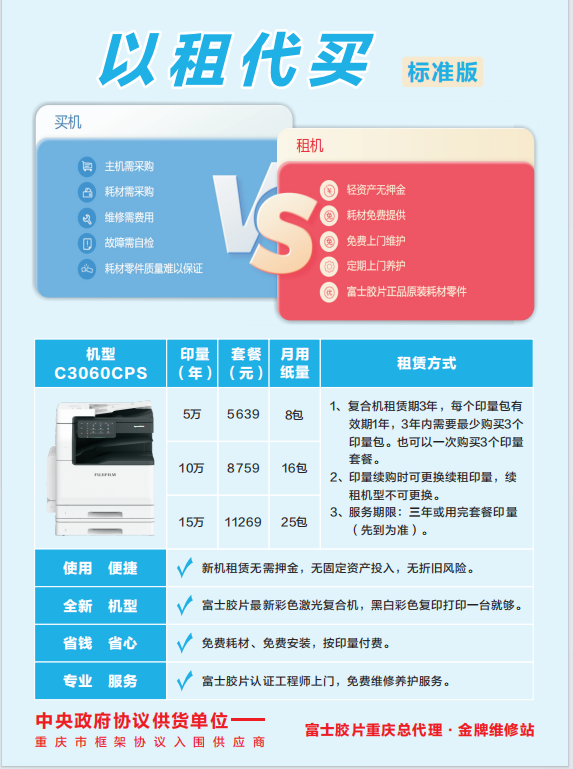
ApeosC3060/C2560/C2060: A New Era, Terminal Printing Equipment, New Apeos
Quick startup, exceptional efficiency. Offers quick startup mode, Fujifilm copier ready in just 6 seconds*1. Control panel returns to operable mode in about 1 second from low-power mode*2. Preheat completed in less than 28 seconds, first copy time 4.9 seconds*3. *1: Depending on the main unit's status and accessory configuration, the operation panel may not function or may take more than 6 seconds. *2: Set the time to enter sleep mode to be longer than the time to enter low-power mode. *3: Using horizontal/monochrome mode on Apeos C3060 with A4 LEF. Fast scanning of multiple original documents*1. Up to 80 pages per minute can be read quickly in scan mode*2. Up to 130 sheets can be loaded in one go with the DADF without damaging the original. Scan immediately without manually entering the size of each original. Automatically converts non-standard size originals to standard size*1: Apeos C3060 / C2560 models with single-sheet DADF. *2: Single-sided double-sided scanning. Standard original (A4 horizontal), 200 dpi, scan to email.
Ensure the machine is turned off and the power cord is unplugged before removing the fixer unit. Jinyang District photocopiers have experienced multiple incidents of machine malfunctions and part damage due to the removal of the fixer unit without shutting down. According to the service manual, always turn off the machine and unplug the power cord before removing the fixer unit. Another method for firmware upgrade on film machines is to use the customer's computer for web-based updates, in addition to USB and network upgrades recommended by engineers. (After engineers unzip the upgrade files, select the BIN file extension) This method can be used as a temporary solution if USB and network upgrades are unsuccessful.

Terminal printing equipment - Guowu Zhishan Copier - Dadukou District Copier, provided by Chongqing Guowu Zhishan Technology Co., Ltd. The Terminal printing equipment - Guowu Zhishan Copier - Dadukou District Copier is a new upgraded product launched by Chongqing Guowu Zhishan Technology Co., Ltd. this year. The images above are for reference only. Please call the contact number on this page or the image to get in touch with Mr. Tang.