


If your Mazak servo driver requires repair, please follow these steps:
1. Identify the Issue: First, determine the specific problem with the servo drive. Potential issues may include failure to start, unstable operation, or abnormal output signals.
2. Contact Repair Services: Reach out to the manufacturer or an authorized representative of the Omron servo drives to learn about their repair policies and procedures. You can contact them via phone, email, or online.
3. Provide Detailed Information: When contacting us, please provide as much detail as possible, including the model of the servo driver, a description of the fault symptoms, and the time when the issue occurred. This will aid in their diagnosis and repair.
4. Shipment or Repair: As per your requirements, you may opt to mail the servo drive to them or deliver it to the nearest location. Ensure the servo drive is properly protected during packaging and transportation to prevent further damage.
5. Maintenance Assessment and Quotation: An evaluation of your servo drive will be conducted, along with an estimate of the repair costs. You can decide whether to proceed with the repair based on their recommendations.
6. Repair and Testing: Once you approve the repair costs and plan, we will commence the repair of the servo drive. Upon completion, they will test it to ensure it functions properly.
7. Return and Installation: The repaired servo driver will be returned to you. Prior to installation, make sure to follow the manufacturer's installation guidelines and recommendations to ensure proper operation.
Please note that these steps may vary. We recommend you contact the relevant manufacturer or authorized representative to obtain accurate repair information and guidance.
If you encounter issues with a Mitsubishi servo drive that require repair, consider the following steps:
Inspect Fault Phenomena: Firstly, you need to check the fault phenomena of the servo driver, such as whether there are alarm codes, abnormal sounds, etc., to locate the problem.
Check power and cable connections: Ensure that the power and cable connections of the servo driver are secure and undamaged.
3. Verify parameter settings: Check if the servo driver's parameters are set correctly, such as motor parameters, speed control parameters, etc., and refer to the manual for setup instructions.
4. Cleaning and Maintenance: Regularly clean the fan and radiator of the servo drive to ensure effective heat dissipation and prevent overheating that could lead to malfunctions.
5. Contact Service Technician: If the aforementioned steps do not resolve the issue, it is recommended to contact a Mitsubishi servo drive repair technician for repair. Their knowledge and experience can accurately diagnose and fix the fault.
Please ensure you have the relevant technical knowledge and operational experience before performing any repairs to avoid causing further damage.
Panasonic servo drive repair typically involves the following steps:
1. Fault Diagnosis: Initially, technicians will inspect and test the servo driver to determine the specific cause and scope of the failure.
2. Maintenance Plan Development: Formulate an appropriate maintenance plan based on the fault diagnosis results, including the required parts and tools for repair.
3. Component Replacement: Replace damaged or malfunctioning components to ensure proper operation.
4. Parameter Adjustment: Adjust the servo driver's parameters based on the manufacturer's provided specifications and technical details to ensure proper performance and functionality.
5. Functional Testing: After repair, conduct a functional test to ensure the servo driver operates normally.
6. Troubleshooting: If issues persist during the testing process, technicians will conduct further troubleshooting until the problem is resolved.
When undergoing repair of a Panasonic servo drive, it is advisable to seek a repair service provider or contact Panasonic's after-sales department to ensure the quality and reliability of the repair work.
If you need to repair an Mefco servo driver, here are some common repair steps and precautions:
Check power supply: Ensure the drive receives the correct voltage and current. Inspect the power lines and plug, ensuring a good connection.
2. Verify Connections: Check the connection between the drive and the servo motor to ensure it is secure and not loose. Inspect the wiring and plug connections to confirm they are properly connected.
3. Verify parameter settings: Check the driver's parameter settings to ensure they match the servo motor requirements. Reset parameters if necessary.
4. Check Fault Codes: If the driver displays a fault code, refer to the driver's user manual to find the meaning of the fault code and the solution.
5. Cleaning and Maintenance: Regularly clean the drive to ensure no accumulation of dust or debris. Regularly inspect the radiator and fan of the driver to ensure proper operation.
6. Part Replacement: If certain parts of the driver are damaged or worn out, they may need to be replaced. Please refer to the driver's repair manual or contact the technical support department of Meifu Company for information on replacement parts.
Please note that if you do not possess relevant repair experience or technical knowledge, it is recommended to seek repair services or consult the technical support department of Meifu Company.
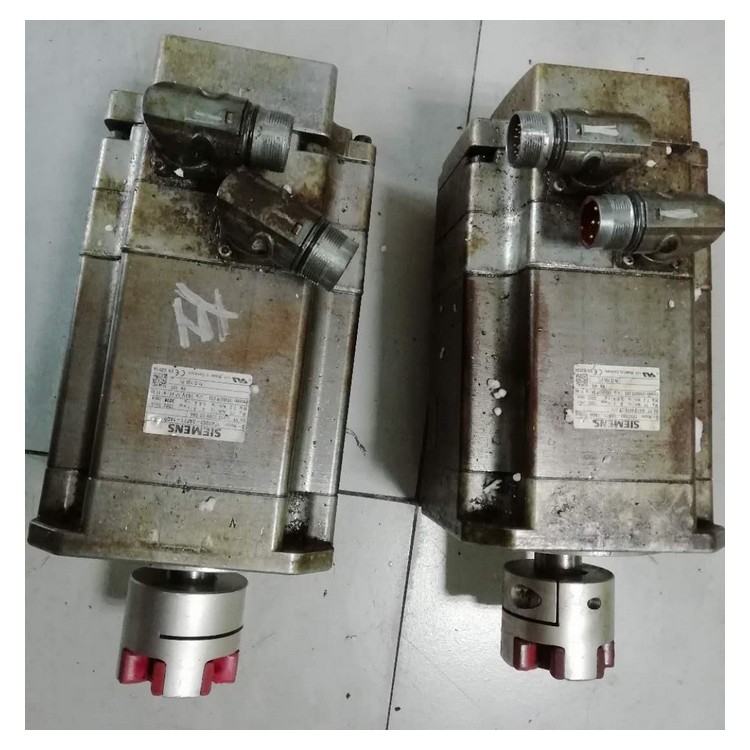
If you need to repair a Siemens servo drive, here are some common repair steps:
Check power supply: Ensure the driver's power connection is normal and inspect for any damaged or loose connections on the power cable.
2. Inspect cable connections: Ensure the connection cables between the driver and controller are secure and there are no loose or damaged parts.
3. Verify Drive Parameters: Check that the drive's parameters are correctly set, including current limits, speed settings, etc.
4. Check error codes: If the driver displays an error code, refer to the driver's user manual or technical support materials to identify the corresponding cause of the error and take the appropriate repair measures.
5. Cleaning and Maintenance: Regularly clean the drive, ensure the heat sink and fan are unobstructed to prevent overheating and potential malfunctions.
6. Component Replacement: If the above steps do not resolve the issue, replacement of some components may be necessary, such as motors, capacitors, etc. Please contact the technical support of Rexroth or an authorized representative for replacement.
Please note that the above steps are for reference only; the specific repair procedures may vary depending on the model of the drive and the nature of the fault. It is recommended to carefully read the user manual of the drive and consult with the technical support staff before proceeding with the repair.
Zoucheng Baumiller servo drive repair
