





Parent-Teacher Secrets | Link Students, Grant Call Permissions, Purchase Plans - This Article Has You Covered
The school pre-loads student information prior to the start of the term.
Students must complete the following three procedures to make parent's亲情 calls on campus telephones.
Step 1: Student Information Binding
Students and parents are currently binding their WeChat accounts. After binding a student, parents can purchase packages for the student and add other contacts for the student.
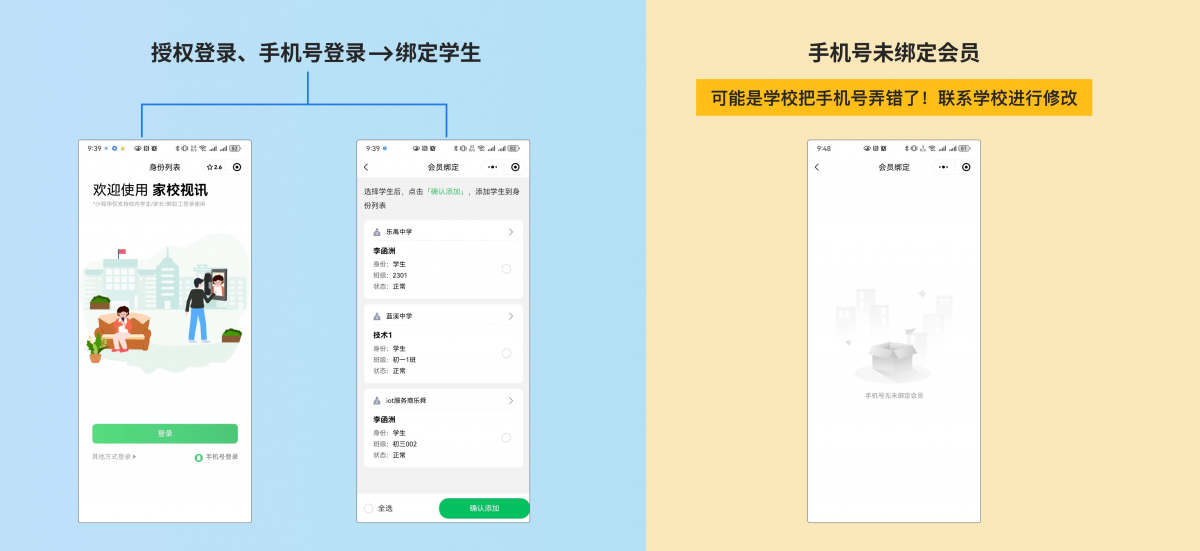
Search for the "School and Home Video" mini-program on WeChat.
Open the mini-program and select WeChat authorization login/SMS Verification Code Login
Note:
1Some parents may have two phone numbers; it is crucial to select the phone number that the student is bound to, otherwise, the system will display...“Phone Number Not Bound to Membership”。
2It's also possible that the school mistyped the phone number.
Step Two: Call Authorization
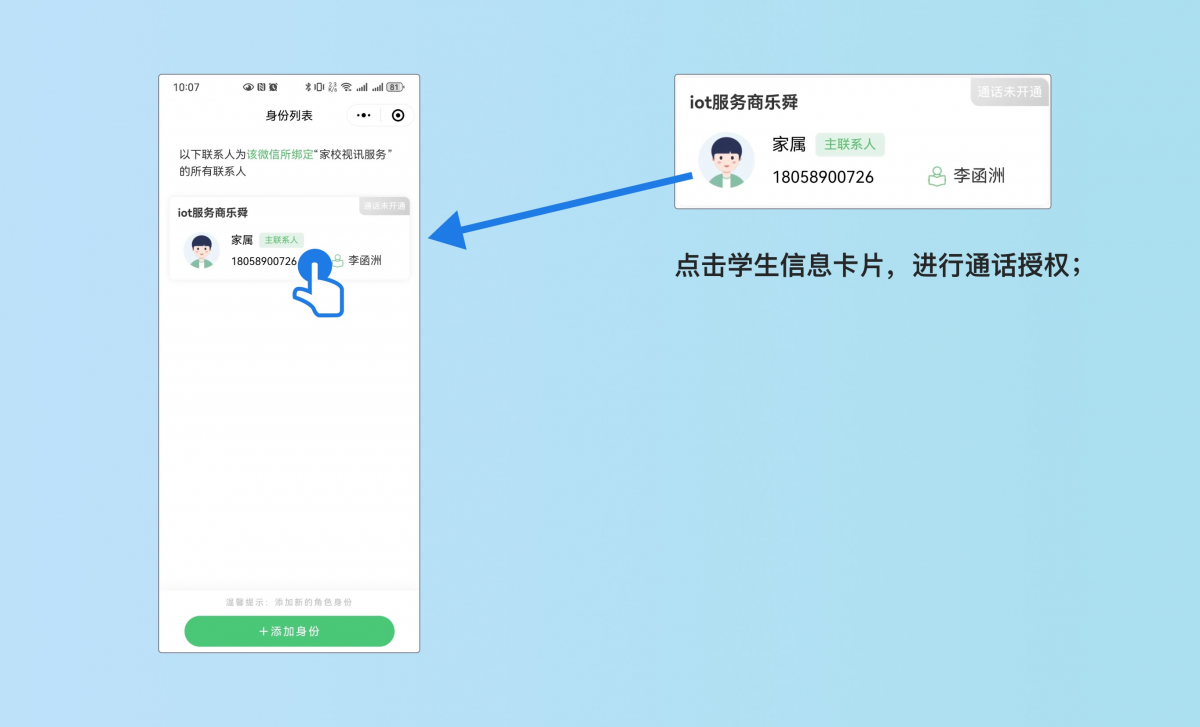
After binding students, you can normally enter the student identity list page, where you can clearly see the students' names and call activation status.
To add another student, contact the school to add them, then click the [Add Identity] button.
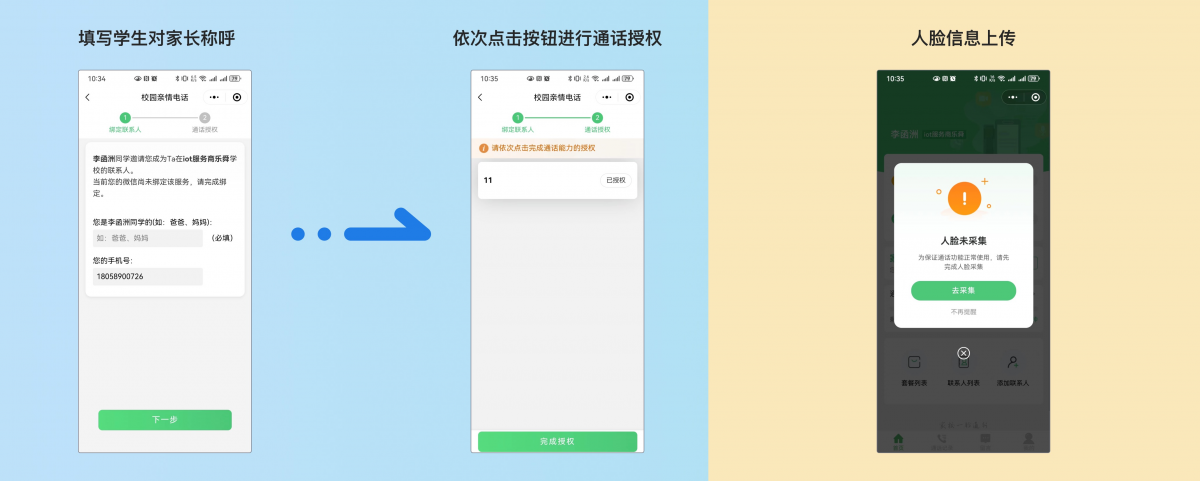
Enter Nickname, Authorize Call
Follow the interface prompts to sequentially authorize calls, then proceed to the homepage upon completion.
If the school has not collected facial information, parents will need to follow the guidance to collect the facial information themselves.
Three Steps: Purchase Calling Plan
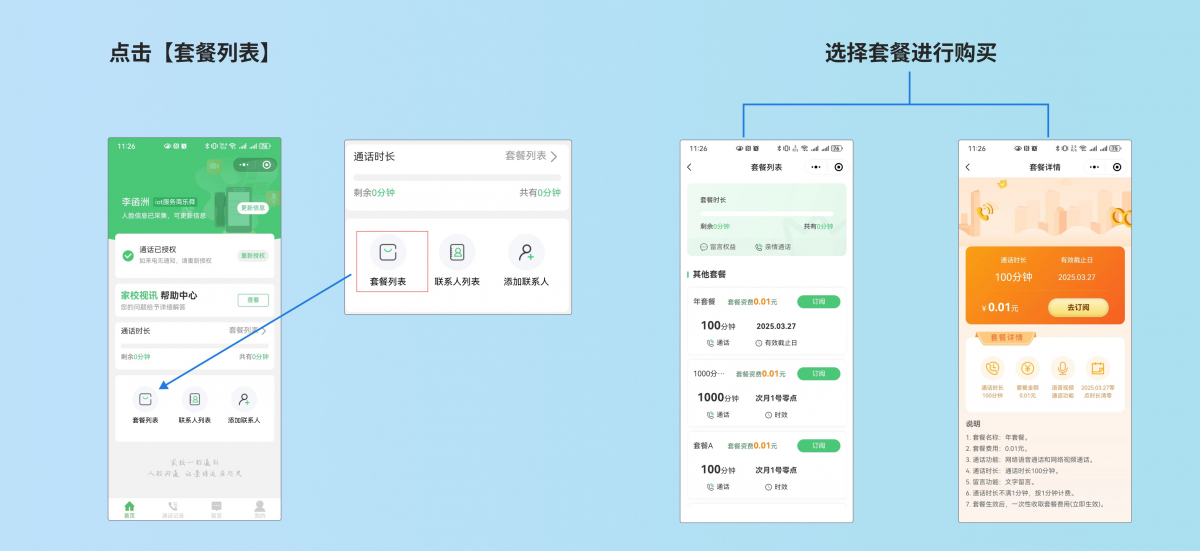
After parental authorization, you need to purchase a calling package for the student. Go to the homepage and click on [Package List] to buy a calling package.
Frequently Asked QuestionsFAQ
QHow to Refund for Duplicate Purchase of Packages?
APlease contact the corresponding teacher for offline refunds; online refunds are currently not supported.
QHow to Modify Incorrect Student Facial Information Upload?
AOur "My" page now allows you to re-upload by simply clicking on the face information./Capture recent photos of student life.
QHow to activate a single phone number for two children?
AContact the student's teacher to add them, then after adding, click the [Add Identity] button in the identity list to bind.
QHow to Create a Family Group Chat?
ACurrently, only the primary contact person can create group chats, which can be done on the message list page.
