



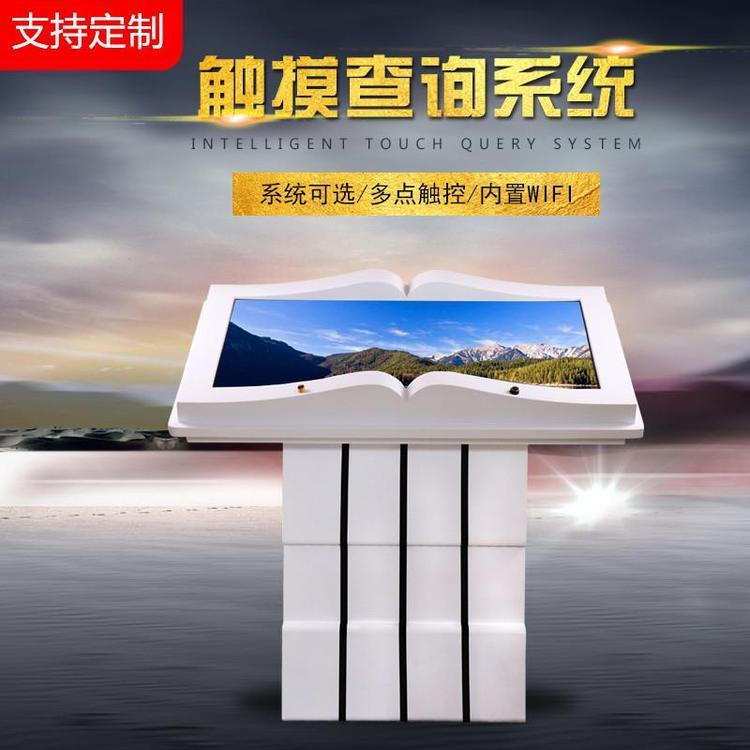
An electronic flipbook machine can also be referred to as a virtual flipbook, sensor flipbook, interactive flipbook, or air flipbook, etc. It resembles an open book model in appearance, capable of storing various types of rich content including videos, texts, and images.
Visitors can "flip" through books in the air by waving their arms, either from left to right or right to left. They can also choose chapters to quickly find the content they want to read, just like flipping through a regular magazine. This display method is visually
High impact, easy to operate, rich in information display, and offers a great user experience. The principle of the electronic page-turning unit utilizes interactive (infrared sensing) technology and computer multimedia (projectors, 3D animation, all-in-one touchscreens, etc.) to achieve a form that can be used as if reading a regular book, if normal reading is to be simulated.
The visual dynamic effect of flipping through a book. Initially, the motion of the visitor flipping the pages is transmitted to the computer system for analysis and processing. The sensory system within the computer then analyzes the digital signals captured by the technology.
The flipping effect demonstration. Specifically, people only need to stand in front of the book model, extend their arms, and make a left and right swinging motion above the book model, just like flipping through a real book, and the computer system can quickly
Recognize human movements and then flip pages forward and backward in sync with the left and right swinging of people's arms, looking quite magical.
Electronic Page Turner Function 1: Interactive Feature - When the pre-made electronic page turning content is projected
On the touch body machine, you can interact with it, providing a great sense of interaction, thereby realizing the function of human-computer interaction. 2. Touch function, use your fingers to touch to flip through, search for text, video, and images, inside of
The content changes with the touch of a finger, exuding a sense of technology. 3. Whiteboard Function: Write or draw freely without the need for an eraser; writing can be done with a pen or hand. Content can be deleted at will, as well as stored and recorded.
4. Query Function: This feature is beneficial for customers as it allows them to access the required information without the need for staff, thereby reducing the number of inquiries.
Staff costs. 5. Guidance Function: Equipped with directional features to guide customers, making it convenient for people to find the information they need, and can also include advertising and promotional functions.
