




Fuji Film Apeos 2350/2150 Error Code Lookup 49
Shut off the power switch and confirm that the [Data] indicator light is off, and there are no ongoing operations. Turn off the power, and confirm that the display disappears. After confirming the power is off, unplug the power cord. 1. Open the L/H Cover. 2. Remove the BTR Roll. (Figure 1) (1) Release the Hook of the Bearing (x4). (2) Remove the BTR Roll. Figure 1 j0lj40601 Reference: Indicates the removed BTR Roll. (Figure 2) Note: Since the Bearing is not fixed to the BTR Roll, be careful not to drop it. Figure 2 j0lj40602 Installation 1. Install following the reverse steps of disassembly. 2. When replacing, enter the diagnostic mode, and for copier rentals, perform [HFSI Counter Initialization] to clear the HFSI counter. “Chain link: "950-800" Refer to [6.4.2.9 HFSI Read/Erasure]

FujiFilm Apeos 2350/2150 Error Code Lookup
3.1.3 Important Notes When Replacing Drum Cartridge · This chapter outlines methods for addressing image quality issues, including the procedure for "Replacing Drum Cartridge (PL 8.1) (REP8.1.1)." However, in this product, the sub-components of "Drum Cartridge" are listed as spare parts as follows: 1. Developer Unit (PL 8.4)(REP 8.4.1) 2. Drum (PL 8.5)(REP 8.5.1) - Determine the fault symptoms, and if the issue can be resolved by replacing sub-components, proceed with the replacement. 3.1.4 During image quality fault diagnosis, collect a poor sample or confirm the poor sample pointed out by the customer, and proceed to the corresponding IQ-FIP.

4. Remove the front Spring. (Figure 3)(1) Remove the Spring. Figure 3 j0ln4080055. Remove the rear Spring. (Figure 4)(1) Remove the Spring. Figure 4 j0lj408146. Remove the Reclaim Cover at the rear. (Figure 5)(1) Remove the Tapping Screw(x2).(2) Remove the Reclaim Cover. Figure 5 j0lj408157. Pull the Film Paddle outwards. (Figure 6)(1) Pull the Film Paddle outwards. 8. Remove the Reclaim Pipe. (Figure 7)(1) Remove the Tapping Screw.(2) Remove the Reclaim Pipe. Figure 7 j0lj408489. Remove the Deve. Bias Conductor. (Figure 8)(1) Remove the Deve. Bias Conductor. Figure 8 j0lj4081910. Remove the Tracking Holder at the front. (Figure 9)(1) Remove the Tapping Screw(x3).(2) Remove the Tracking Holder.

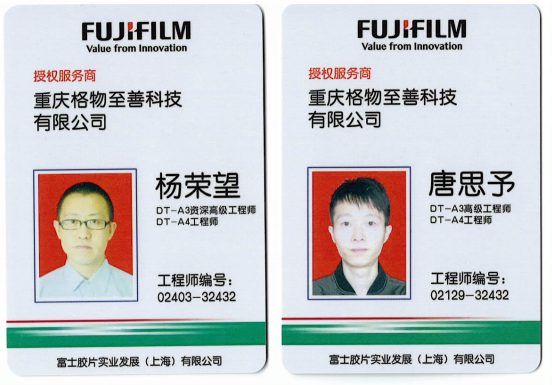
Copier Rental - Guwu Zhishan Printing Security Solutions - Sample Copier Rental Contract provided by Chongqing Guwu Zhishan Technology Co., Ltd. Chongqing Guwu Zhishan Technology Co., Ltd. boasts excellent service and products, consistently receiving affirmation and trust from both new and old customers, as well as industry professionals. Our company is a member; click the icon on the page to directly communicate with our customer service staff. We wish for a pleasant cooperation in the future!
