


Can achieve facial recognition, built-in facial recognition module, various usage modes, such as staff mode with fixed individuals using fixed lockers, random mode with anyone occupying any locker, etc.
Expandable to fingerprint unlocking, card unlocking, etc.
Introduce the offline function of WeChat.
This feature device does not require internet connection and supports WeChat scanning for deposit and withdrawal. Click to view the usage status of the boxes, where you can see the usage status of each box.
Operation Steps: Open WeChat and scan QR code—Access the deposit/withdrawal interface—Click "Deposit" or "Withdraw"—Place the generated QR code in the scanner of the cabinet door—The cabinet door will open randomly.
WeChat Terminal
WeChat Online Kiosk, requires internet connection, uses WeChat Pay for one-time charging and deposit transactions.
Configuration Process: Search for us on the WeChat Mini Program"Yifu Wallet" - After registration and login, go to Account Information, bind withdrawal methods - enter the registered account and password in the payment settings of the device - go to the drawer settings to configure the charge amount.
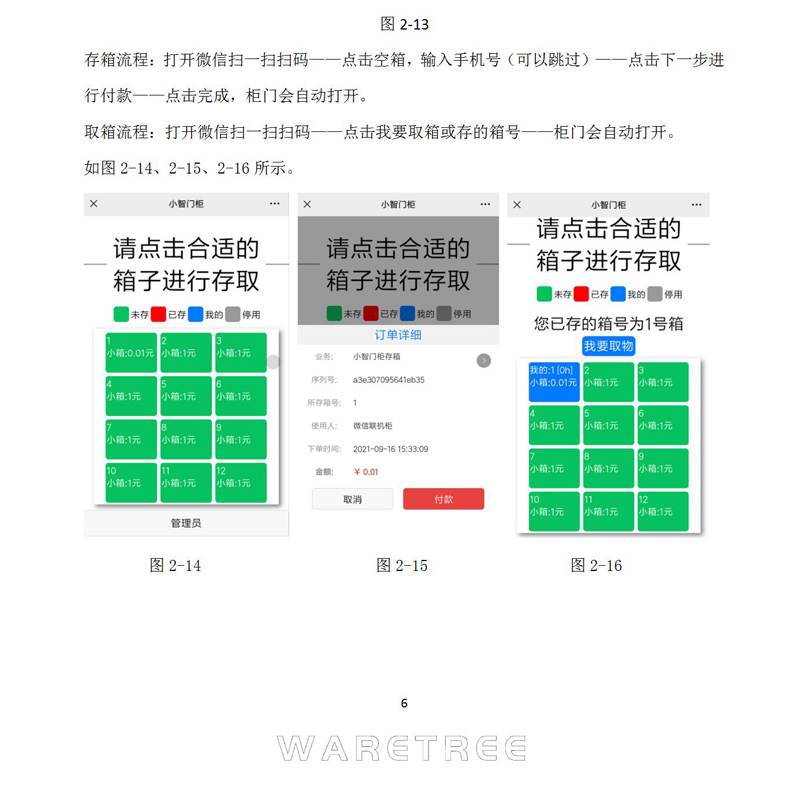
Storage Process: Scan the QR code with WeChat Scan——Click on the empty box, enter your phone number (optional)——Click Next to proceed with payment——Click Complete, and the container door will automatically open.
Pick-up Process: Open WeChat and scan the QR code—Click "Pick Up My Container" or "Store My Container" and the container door will automatically open.
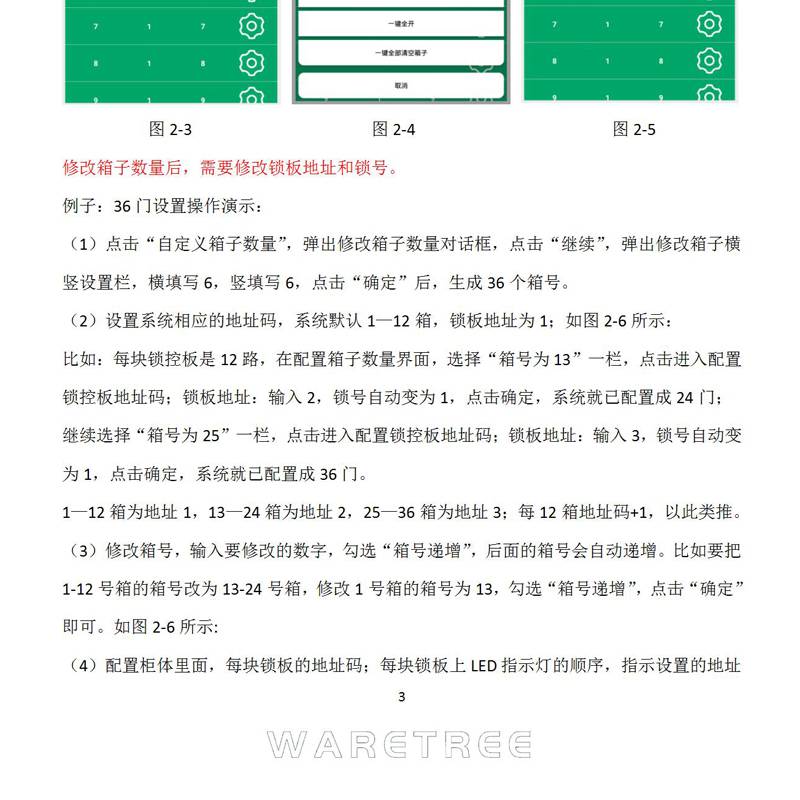
Click the administrator, enter the device management password to access the administrator operation interface, you can change the password, enable in-transit pickup, and open/clean the box.


